An Electronic Level
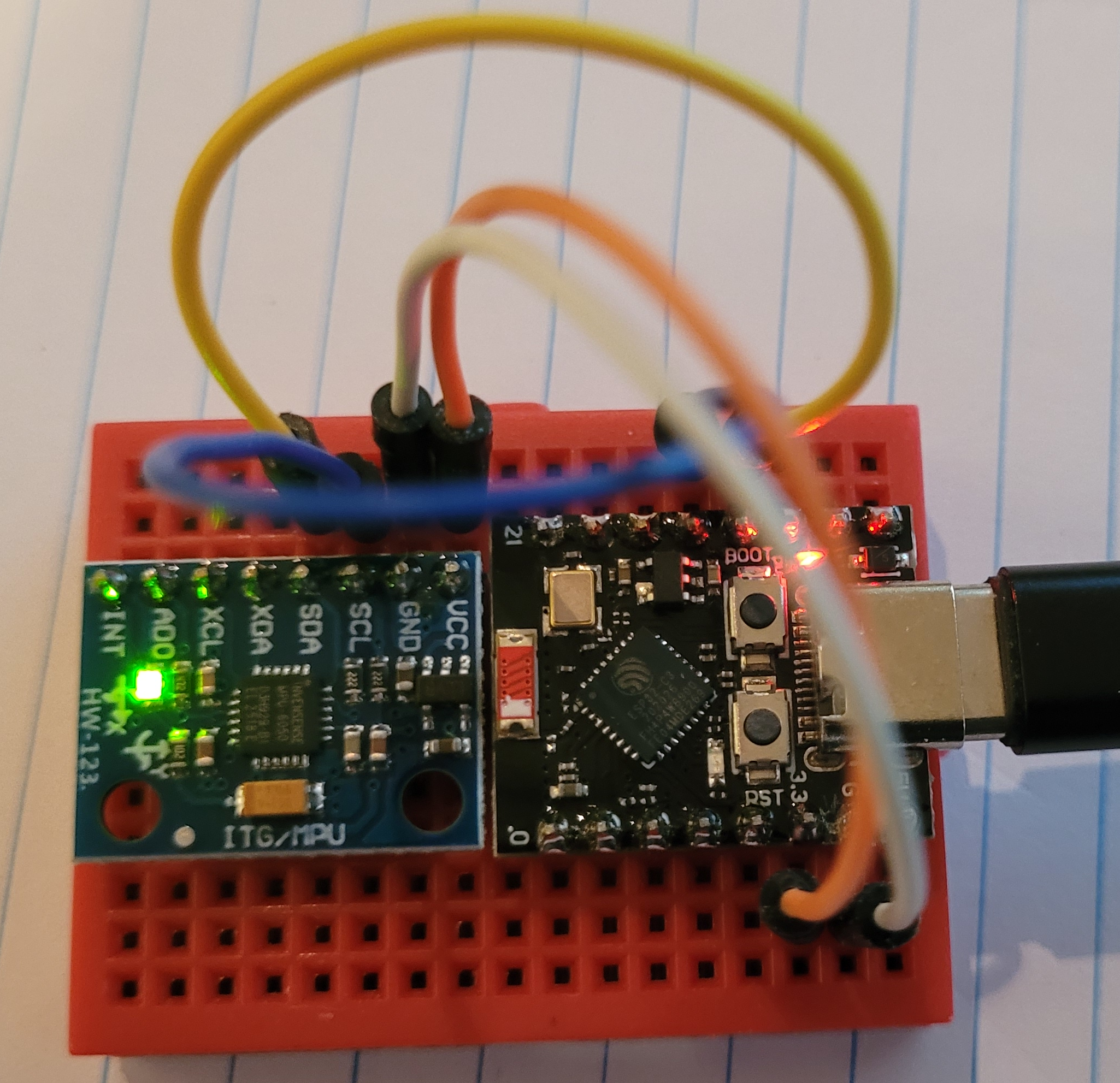
MPU6050 and ESP32-C3 Super Mini
What I created - the thing above
An ESP32-C3 connected via I2C to a MPU6050 so that I could
measure if something is level in X and Y (roll and pitch).
I created a web page on the ESP32 that displays the following
information.
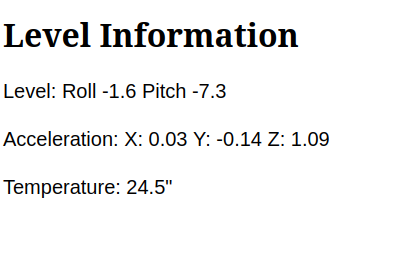
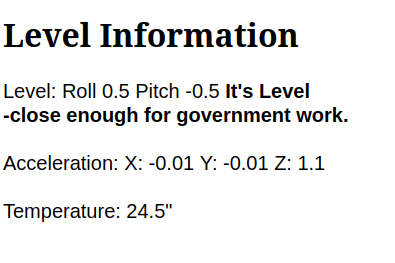
Not Level Level
The X, Y, Z acceleration is fed into "Magic Trigonometry" and out
comes the level for the two axis.
If one thinks about it for a moment, a perfectly static level
object will have a X and Y acceleration of 0 and a Z
acceleration of 1G.
If we tilt the object then the X and or Y acceleration will become
non zero as part of their orientation is now down and the Z
acceleration will become less as part of its orientation is no
longer down.
Math - for those who want it (in python):

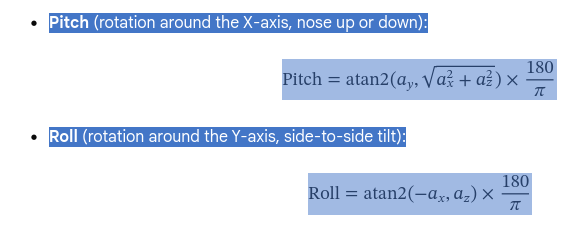

Note, roll and pitch are kind of arbitrary, depending on how I mount
the MPU6050 module. I chose roll to be about the long axis of
the PC board and pitch to be about the short axis.
MPU6050
What it is
A triple-axis accelerometer and a gyro.

The accelerometer measures acceleration in the X, Y, Z axis.  A stationary device has accelleration:

X = 0
Y = 0
Z = 1

Showing that the acceleration in the Z or vertical axis is 1g or 9.81 meters per second squared (m/s²).

The gyro measures rotational speed in the X, Y and Z axis.  Essentially roll pitch and yaw

We are not using the gyro for the Electronic Level. See more below.
How it does it
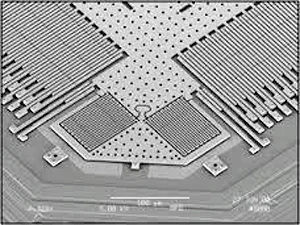
The accelerometer is basically 3 spring scales. Just like the
old style bathroom scale. It measures the deflection of
springs in the X, Y and Z directions. Only, it is very small and
uses capacitance to measure the deflection


Device and Cost
$4 to $5 on Amazon
https://www.amazon.ca/dp/B0C3LG1Y6W/ref=sspa_dk_detail_0
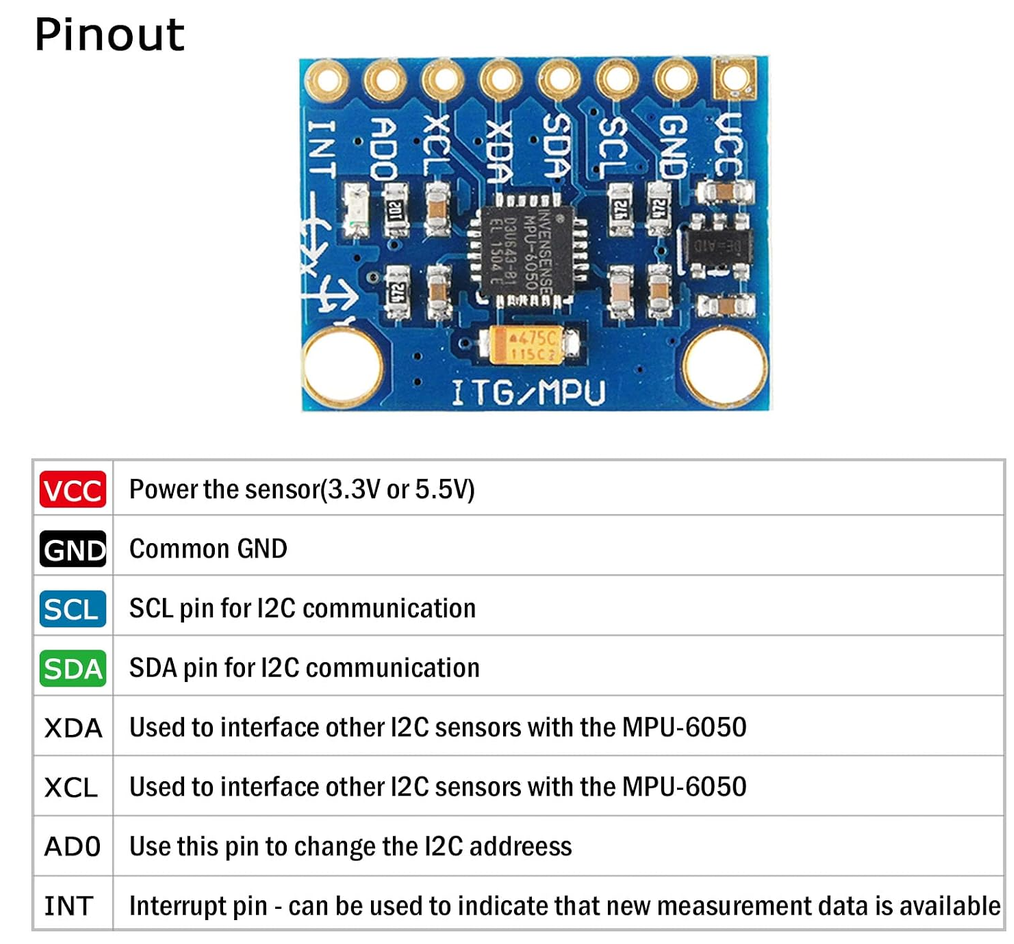
What part we are using for the level
As mentioned, I am only using the accelerometer that measures
acceleration in the X, Y, Z directions. I am not using the
gyoscope that measures angular velocity, rate of rotation.
Perhaps another time.
Code
Main program
Library
Issues
WIFI connection issues
- Transmit Power Overload: The default
peak power (19.5 dBm) can overwhelm the onboard voltage
regulator on small form-factor boards (like Super Mini or QT
PY), causing immediate disconnects.
- Fix: Manually lower
the TX power.
-
import network
wlan = network.WLAN(network.STA_IF)
wlan.active(True)
wlan.config(txpower=8.5)  # Set to 8.5 dBm or 10 dBm
- Error activating WIFI.Caused by unknown state created by the
above problem.
- Deactivate and then activate WIFI
wlan.active(False)
time.sleep_ms(100)
wlan.active(True)
wlan.config(pm=network.WLAN.PM_NONE)
Acknowledgements